At home on your PC.
Audio and metadata are encrypted locally. There is no cloud memory sync. Free on-device answers work from your saved notes and transcripts.
 wovaday.
A MOMENT, GIVEN FORM.
The opening plays once, then releases the page. Press Escape to leave the opening.

A SMALL MOMENT. HEAR IT.
A fictional friend is speaking to you.
AI-generated voice · 6-second sample
Generated sample conversation.
THE WORDS, KEPT IN PLACE
Let’s meet Saturday at ten. I’ll bring the camera; you bring the tripod.
Prepared demonstration. No microphone access or live AI.
ASK ABOUT THE MOMENT
The tripod.
“you bring the tripod” · Sample conversation
WOVADAY / INTENTIONAL RECALL
Be in the conversation. Find your way back to the words.
Explore WovadayCAPTURE, WITH INTENTION
Start a recording when it matters.
Return to the words when you need them.
Pick a microphone and save recording approval in Recording settings. Press Start when you choose to record, or write a note. Your day is not something we record in the background.
Offline English transcription gives your chosen audio a place in your local timeline. Get permission before recording a conversation.
02 / FOLLOW THE THREAD
Ask about what you saved. Follow a source-linked answer to the original note or recording. Check the words. Listen again when audio is available.
Transcription and AI can make mistakes. The original is always worth checking.
Inside Wovaday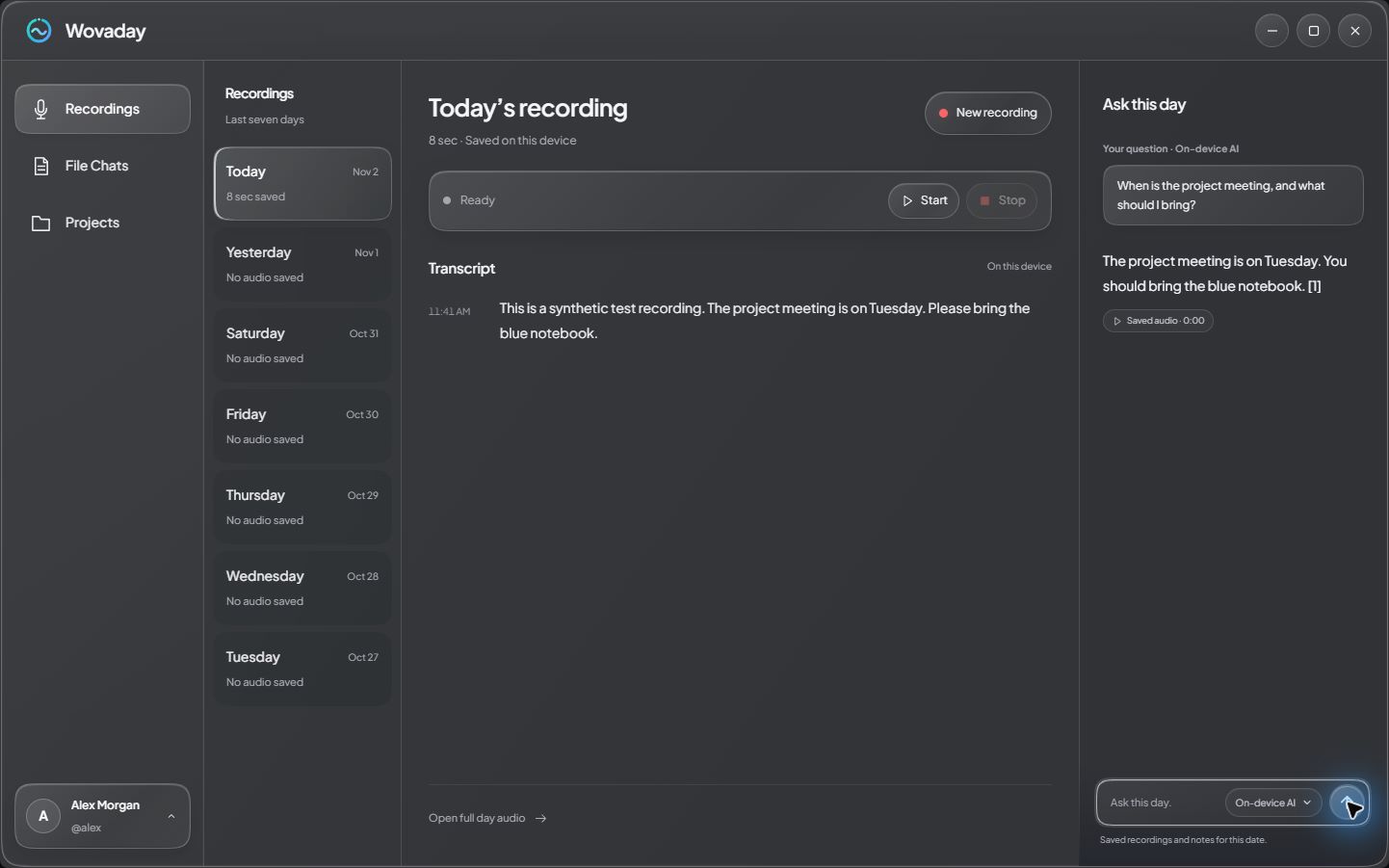
Audio and metadata are encrypted locally. There is no cloud memory sync. Free on-device answers work from your saved notes and transcripts.
Eligible paid accounts can choose Advanced answers. Selected text goes to OpenAI only with your consent. Your audio stays on your PC.
Seven-day retention by default. Choose 1–30 days, export what matters, or delete a source. You stay in control.
A LITTLE LESS TO REMEMBER
New accounts can temporarily sign in without an email confirmation.
Password-reset email delivery remains limited. Check account availability.