Choose a moment.
Choose your microphone and save recording approval in Recording settings. Press Start when you want to record, or simply write a note.
 wovaday.
ASK YOUR DAY ANYTHING
Start with a note or an approved recording. The answer can only come from what you saved.
FROM A MOMENT TO A MEMORY
Three simple steps, with you in control of each one.
Choose your microphone and save recording approval in Recording settings. Press Start when you want to record, or simply write a note.
Offline English transcription turns captured audio into text. Notes and recordings sit together in your local timeline.
After signing in, use on-device AI for source-linked answers or paid Advanced answers and follow-up questions. Open the source and listen back.
Illustrative sequence with fictional examples. This website does not capture your microphone.
A FICTIONAL DAY IN WOVADAY
Choose a question to see an illustrative source passage. These are prepared examples, not a live search of your data.
EXAMPLE SOURCE PASSAGE
“We chose the blue direction for the Juniper homepage.”
Design note · 09:42
Fictional note · exact excerptIn the app, open the linked source to review its context. Results depend on matching words and phrases.
THE SOURCE IS PART OF THE ANSWER
Wovaday finds passages from what you actually saved. Every result takes you back to the original note or recording.
On-device AI answers from saved notes and transcripts, with a source to check. Paid Advanced answers send selected text to OpenAI with your consent. Transcripts and AI interpretations can make mistakes; check the original.
Explore how recall works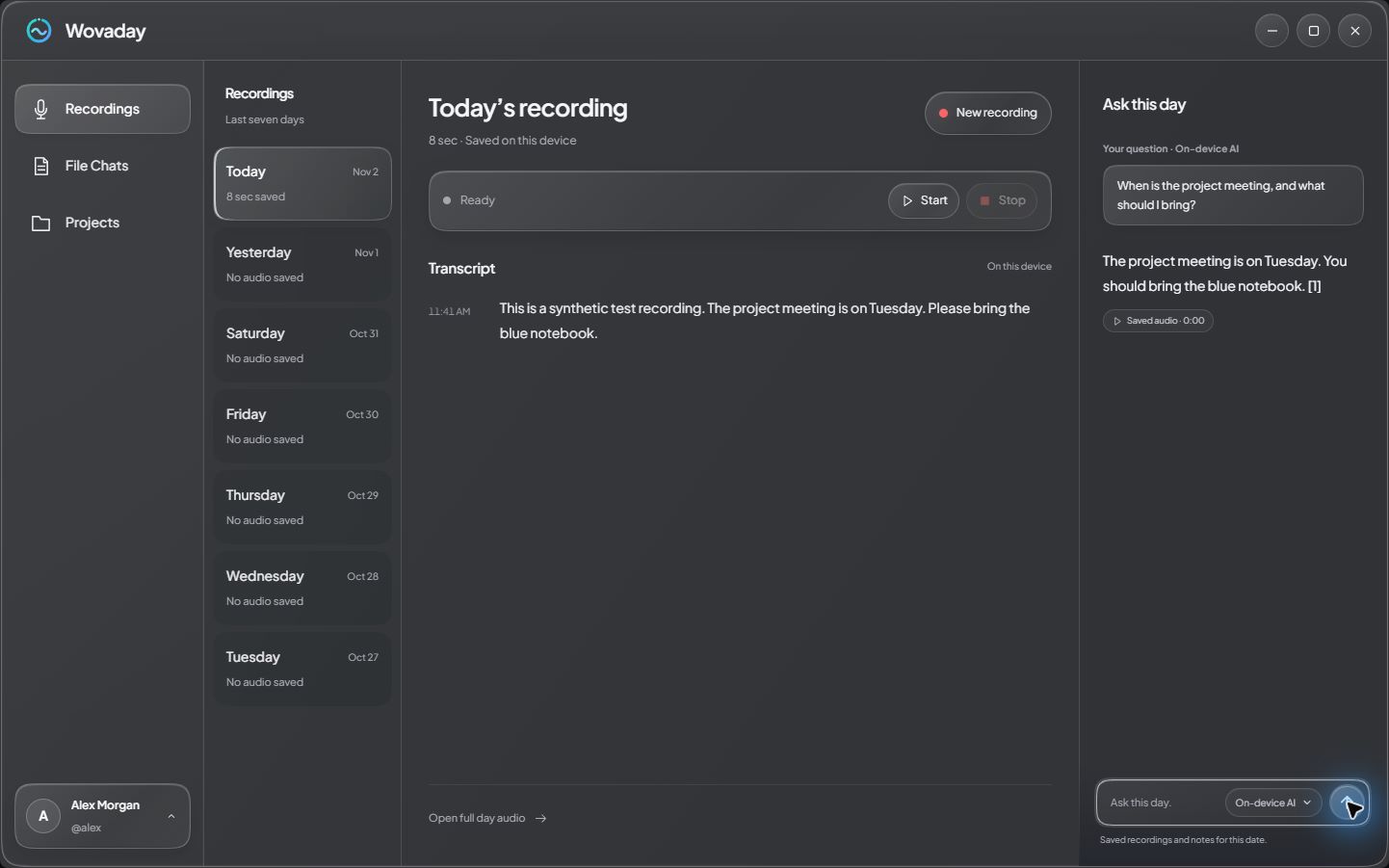
Tell everyone involved before recording and follow the rules that apply where you are. Choose a finite session, check your input, and stop whenever you want. Scheduled reminders only prompt you; they never start recording on their own.
Review the transcript, correct mistakes while keeping the original, and decide how long the source should remain. Privacy mode, exclusions, retention, and deletion controls are in the desktop app.
A LITTLE MORE ROOM TO BE HERE
Windows 11 x64 · Local memories · Sign-in required