Choose a moment.
Choose your microphone and save recording approval in Recording settings. Press Start when you want to record, or simply write a note.
 wovaday.
A SMALLER PLACE FOR THE DETAILS
A local memory workspace for conversations, notes, and the parts of your day you want to find again.
FROM A MOMENT TO A MEMORY
Three simple steps, with you in control of each one.
Choose your microphone and save recording approval in Recording settings. Press Start when you want to record, or simply write a note.
Offline English transcription turns captured audio into text. Notes and recordings sit together in your local timeline.
After signing in, use on-device AI for source-linked answers or paid Advanced answers and follow-up questions. Open the source and listen back.
Illustrative sequence with fictional examples. This website does not capture your microphone.
Pick an audio input, check its level without saving, and remember your selection. Pause and stop remain close at hand.
The bundled offline transcription model turns captured speech into searchable text. Always check important wording against the source audio.
Paid accounts can enable Smart answers in the Smart answers section of Settings and choose them for a question. Wovaday sends selected text to OpenAI with your consent; audio stays on your PC. The app operator manages the connection.
Type a note or import selected .txt, .md, or compatible PCM .wav files. Wovaday does not scan your folders automatically.
Browse saved moments, play source audio, and follow transcript timestamps. Missing or uncaptured moments stay missing.
Bookmark memories, save answers, and export the library as JSON. Saved items remain subject to the retention setting.
Pause capture, use privacy mode, set app exclusions, choose retention, and delete sources or the whole library.
ONE THOUGHTFUL LOOK
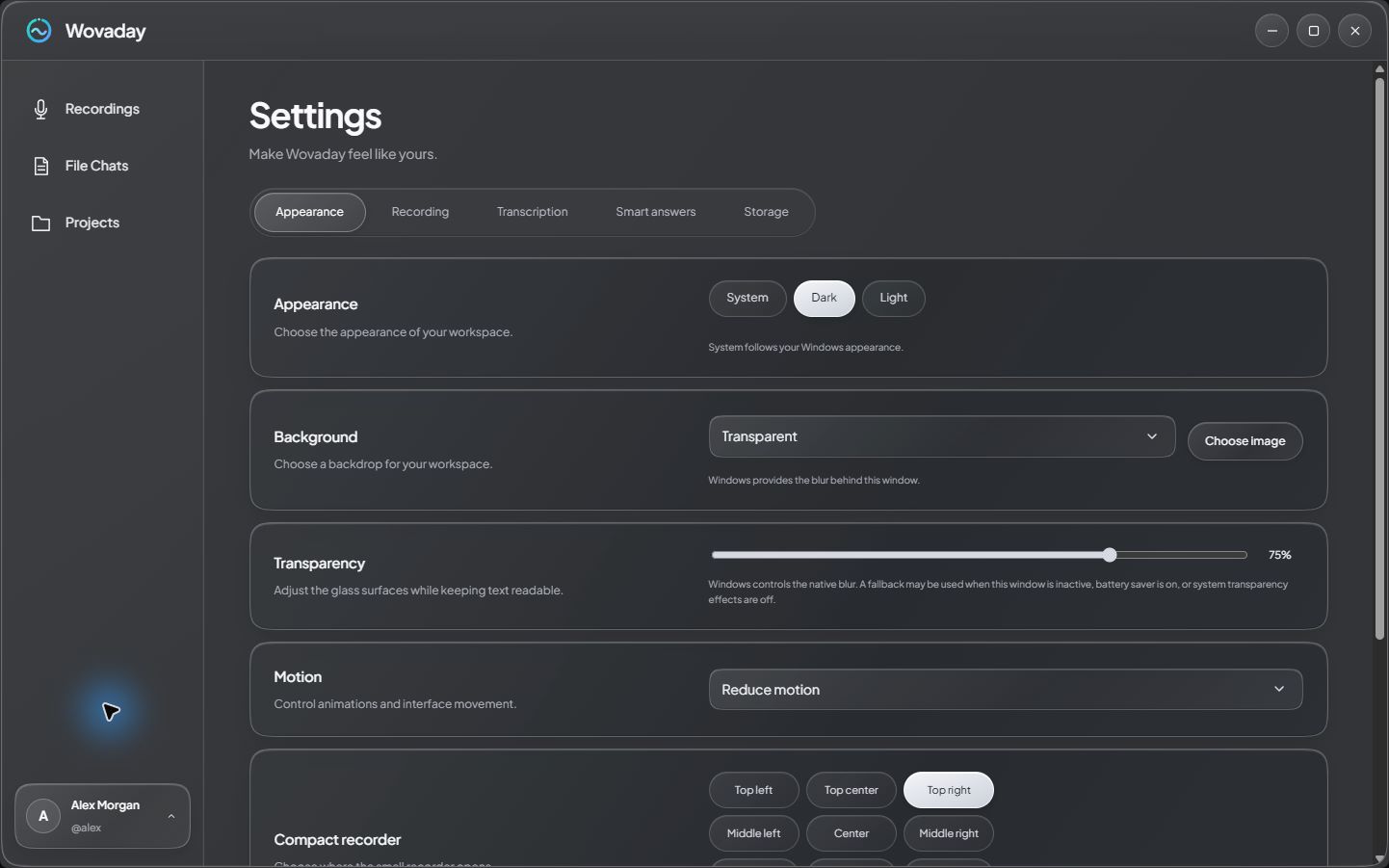
Wovaday gives your saved moments a focused workspace with System, Dark and Light appearances, clear recording controls and readable transcripts.
Choose a photo background, your own image or Transparent, and adjust transcript text size in the app.
There is no camera, screen recording, location tracking, calendar connection, voice question input, system-audio capture, or cloud memory sync. On-device AI interprets saved notes and transcripts with source links. Paid Advanced answers can handle harder questions using selected text sent to OpenAI with your consent. Neither mode verifies who spoke.
A LITTLE MORE ROOM TO BE HERE
Windows 11 x64 · Local memories · Sign-in required